In CentOS 7 servers, the firewall comes active by default in standard installations. Its name is FirewallD.
Recommendation: If you are using providers like DigitalOcean, Vultr, or Linode, they provide the firewall service themselves. You can enable the necessary ports via their firewall. So instead of running a firewall on your server and adding load to it, you can close unnecessary ports etc. directly from their panel. If you are not using a firewall service or it is not provided to you, I do not recommend disabling it. However, if your RAM and CPU are limited, and your traffic is high at the moment, I recommend getting service from providers that offer it. If you don’t, just disable it rather than crashing your server. If an attack occurs, you can figure out the solution then.
For example, here is an image from the firewall management in Vultr below;
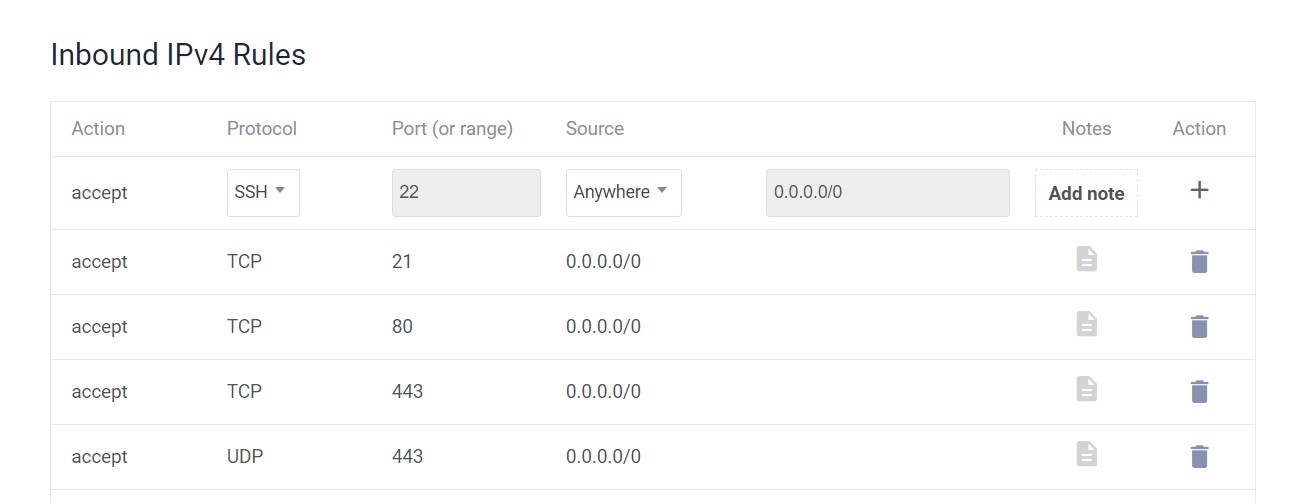
The image above is an example. I had provided the necessary ports for Cyberpanel. You can configure it according to your needs in other panels as well.
Consequently, after the recommendations, the following 2 commands must be used to disable the firewall on CentOS servers.
systemctl stop firewalld
The other command to be executed
systemctl disable firewalld
This is how the Firewall can be disabled.